Why Is My Automatic Coffee Machine Displaying an “Add Water” Error When Full?
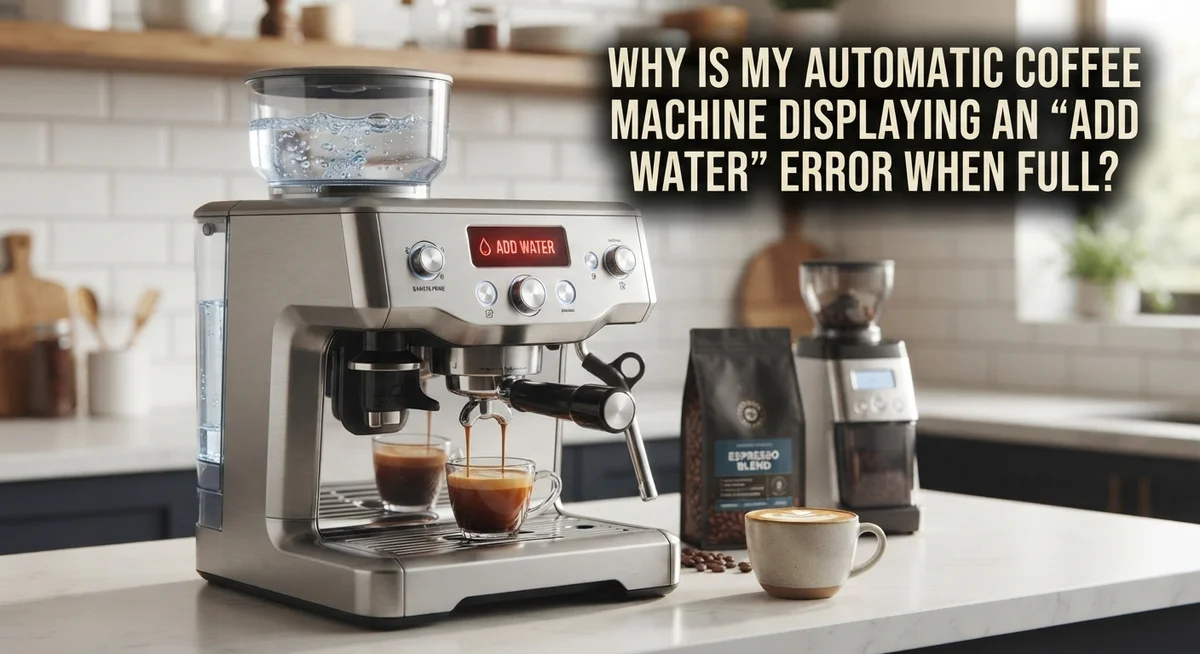
You fill the tank. You lock it back in place. But your machine still flashes an “Add Water” warning.
This annoying glitch happens to many coffee lovers. It often shows up right after you clean or descale your machine.
The good news? Your machine is likely not broken. This is usually a simple sensor problem, not a hardware failure.
Brands like Ninja, Fellow, Jura, and Bosch all face this issue. The water sensor gets confused. It fails to register the water you just added.
Small particles or leftover cleaning solution can trick the sensor too. Sometimes, it is just a small software hiccup that needs a quick reset.
This guide explains why this error happens. We will look at the real reasons behind the sensor mix-up.
Soon, you will fix this error and get back to brewing. Let’s solve this water mystery together.
In a Nutshell
- The sensor gets confused. It often happens right after you clean or descale your machine, causing it to misread the water level.
- Do not try to descale again. If the error is on screen, running another descale cycle will not work and just wastes time.
- Try the Flush cycle instead. Look for this option in your settings under Maintenance. It helps reset the sensor properly.
- Unplugging works wonders. Leave your machine unplugged for at least one hour. This simple step often clears the glitch completely.
- Patience is key. Let any descaling solution sit for five minutes before you try running the machine again.
- You might need a few tries. Sometimes one flush cycle is not enough. Running it two or three times usually solves the problem for good.
Understanding the Water Level Sensor
Your coffee machine has a water level sensor that sits inside or near the tank. This small device detects how much water fills your reservoir. When water reaches a certain height, the sensor signals your machine that it has enough liquid to brew.
The sensor works by measuring electrical conductivity or using a float mechanism. As water rises, the sensor recognizes the change and tells your machine everything is ready. When you fill the tank completely, the sensor should register “full” and stop displaying error messages.
Problems happen when the sensor gives false readings. After descaling or cleaning cycles, leftover solution can coat the sensor. This coating blocks accurate detection, so the machine thinks the tank is empty even when it is full. Particles from old water or mineral buildup can also interfere with sensor function.
The sensor can also malfunction due to software glitches. Your machine’s internal computer may need a reset to recalibrate the sensor properly. This is why unplugging your machine for an hour often solves the problem.
Water quality matters too. Hard water leaves mineral deposits around the sensor area. These deposits act like a barrier, preventing the sensor from making proper contact with the water. This is especially common in regions with mineral rich tap water.
Some machines have sensors that get misaligned during cleaning. If you removed the tank and reinserted it incorrectly, the sensor might not sit in the right position. The tank needs to click or lock into place properly for the sensor to work.
Understanding your sensor helps you troubleshoot faster. You now know the sensor detects water level through electrical or mechanical means. You also understand why cleaning cycles and mineral buildup cause false “Add Water” errors. This knowledge prepares you for the practical fixes that come next.
Common Causes of a False “Add Water” Error
A false “Add Water” error appears when your machine’s sensor stops reading the actual water level correctly. This happens most often right after you clean or descale your machine.
The sensor gets confused by leftover residue. When you run a cleaning cycle, descaling solution or cleaning agents can coat the sensor itself. The sensor then cannot measure water properly, even though your tank is full. It reads the coating instead of the actual water level.
Particles floating in your tank create another common problem. During cleaning cycles, small debris can settle near the sensor area. Your machine interprets these particles as a signal that the tank is empty. The sensor thinks it needs more water when it actually has plenty.
Software glitches trigger false errors too. Your machine’s computer system controls the sensor readings. Sometimes the software gets stuck or confused after a maintenance cycle. The error message stays on screen even after the cleaning finishes. A simple reset can fix this issue.
Hard water minerals build up around the sensor over time. If you live in an area with hard water, mineral deposits accumulate on the sensor contacts. This buildup interferes with accurate readings. Your machine cannot detect water levels through the mineral layer.
The sensor itself can shift slightly during cleaning. When you remove and reinstall your water tank, the sensor position might change slightly. Even a small misalignment prevents the sensor from detecting water correctly.
Understanding these causes helps you fix the problem faster. Most false errors stem from sensor confusion rather than actual machine failure. Your coffee maker is not broken. The sensor simply needs help recalibrating. Once you clear the confusion, your machine will read the water level accurately again and stop showing that frustrating error message.
Why This Often Happens After Cleaning or Descaling
Your automatic coffee machine often displays this error right after cleaning or descaling because the water level sensor becomes temporarily confused. The sensor sits inside or near your water tank and measures whether water is present. During these maintenance cycles, cleaning agents or descaling solution can leave a thin film or residue on the sensor itself.
This coating interferes with the sensor’s ability to read accurately. The sensor cannot detect the water properly, so it sends a false “Add Water” signal even though your tank is full. Think of it like a camera lens covered with dust. The lens still works, but it cannot see clearly.
Leftover solution is the main culprit here. When you run a descaling or cleaning cycle, liquid sprays throughout the machine’s internal components. Some of this solution settles around the sensor area. Even after you empty and refill the tank, the sensor still has that residue coating it.
Another reason this happens is that the machine’s software gets confused during the cleaning process. The system performs multiple checks and resets during maintenance cycles. Sometimes these checks misfire, and the sensor gives incorrect readings temporarily.
Temperature changes also play a role. When your machine heats up and cools down during cleaning, the sensor components expand and contract slightly. This movement can cause temporary misalignment or false readings.
The good news is that this error usually resolves itself quickly. Your sensor needs time to dry and reset. Waiting five minutes after cleaning lets any moisture evaporate. If the error persists, unplugging your machine for at least one hour allows the sensor to fully reset and recalibrate. This simple pause often fixes the problem without any additional steps needed.
Step-by-Step Fix: Resetting the Sensor
A sensor reset often fixes the “Add Water” error when your tank is full. This process clears any confusion your machine’s computer has about water levels.
Start by unplugging your machine from the wall outlet. Leave it disconnected for at least one hour. This gives the sensor time to fully reset and forget the false reading it stored.
While waiting, check your water tank. Remove it completely and inspect the sensor area inside the machine. Look for any visible residue, mineral buildup, or particles around the sensor contact points. Wipe these areas gently with a soft, dry cloth. Do not use abrasive materials that could damage the sensor.
After one hour has passed, plug your machine back in. Fill the water tank with fresh, filtered water. This is important because mineral deposits in tap water can interfere with sensor readings.
Now run a Flush cycle instead of a descaling cycle. Access your machine’s settings menu and navigate to Maintenance. Select Flush rather than Descale. This cycle cleans your system without applying descaling solution, which can confuse the sensor further.
Let the Flush cycle complete fully. Do not interrupt it or open the machine during this process.
If the error persists after one flush cycle, run the process again. Sometimes the sensor needs multiple flush cycles to recalibrate properly. Repeat the flush 2 to 3 times if necessary.
After each cycle, allow your machine to cool for several minutes before starting another one. This prevents overheating the sensor components.
Test your machine by running a regular brew cycle. The error should disappear once the sensor correctly recognizes your full water tank. If problems continue after multiple resets, your sensor may need professional service.
Using the Flush Cycle Instead of Descale
When your coffee machine shows “Add Water” even though the tank is full, the Flush cycle is often your best solution. This approach works differently than a standard descale, and understanding why matters.
A Flush cycle cleans your machine’s internal pathways without using descaling solution. It runs water through the system to clear out any particles or residue that might confuse your water level sensor. This is crucial after cleaning, because leftover cleaning agents can coat the sensor and block its ability to read accurately.
Here’s the practical difference: descaling cycles won’t work when this error is active. Your machine’s software prevents them from running because it thinks the tank is empty. The Flush cycle bypasses this restriction and helps reset your sensor’s readings at the same time.
To use the Flush cycle, access your machine’s settings menu. Look for Maintenance or Service options. Select Flush instead of Descale. Let the complete cycle run without interruption. Your machine will push water through all internal components.
If the error persists after one flush, run it again. Multiple cycles often work better than a single attempt. Wait a few minutes between cycles so your machine cools down. This cooling period helps the sensor recalibrate properly.
The Flush cycle accomplishes something important: it removes any particles floating in your water tank area that might be blocking the sensor. These particles commonly accumulate during cleaning cycles. Flushing sweeps them out without harsh chemicals.
After running Flush cycles, fill your tank with fresh filtered water. Plug your machine back in if you unplugged it earlier. Try making coffee normally. The error should disappear once the sensor reads the water level correctly again.
Mistakes That Make the Error Worse
Making this error worse is easier than you might think. Many people panic and repeat the same actions that caused the problem in the first place.
The biggest mistake is attempting a descale cycle when the error is already showing. Your machine won’t complete the descale properly. The sensor confusion gets worse. You’re wasting descaling solution and time. Stop here and use Flush cycles instead.
Another common error is not waiting long enough between attempts. You run a cycle, see the error, and immediately try again. Your machine needs time to cool down and reset properly. Wait several minutes between each attempt. Give the sensor a chance to recalibrate.
Ignoring the unplugging step causes problems too. Some people skip the full power reset because they think it won’t help. A complete power disconnect for at least one hour actually resets your machine’s internal computer. This reset often clears sensor confusion that simple retries cannot fix. Don’t skip this step.
Filling the tank with tap water makes things worse. Mineral deposits and particles from tap water can coat your sensor even more. Always use filtered or distilled water. This prevents additional buildup that blocks the sensor reading.
Continuing to run descale cycles repeatedly is another trap. Each descale cycle sprays liquid throughout your machine. More liquid means more chance for particles to land on the sensor. More liquid also means more mineral coating if you’re using tap water.
Cleaning the tank area incorrectly also backfires. Pushing objects into the sensor area can damage it permanently. Don’t poke around inside. Let the Flush cycles do the cleaning work instead.
Finally, don’t assume the error will disappear on its own without action. While some errors resolve after a few hours, most need the proper troubleshooting sequence. Follow the reset and Flush cycle steps in order.
When to Seek Further Troubleshooting or Support
If you’ve completed the basic troubleshooting steps and your machine still shows the “Add Water” error, it’s time to consider professional support. Know when DIY fixes have reached their limit. Most sensor issues resolve after unplugging for an hour and running multiple Flush cycles. If these steps don’t work, something deeper is happening inside your machine.
Contact the manufacturer’s support team if the error returns within a few days of troubleshooting. Explain exactly what you’ve already tried. Tell them you’ve unplugged the machine, run Flush cycles, and used fresh filtered water. This information helps them diagnose the real problem faster.
Request a sensor diagnostic if available. Many manufacturers can run remote tests to check whether your water level sensor is actually malfunctioning. A faulty sensor won’t respond to standard fixes, and replacement becomes necessary.
Document your troubleshooting steps before reaching out. Write down the date you started, which cycles you ran, and how many times you repeated each step. Note if the error appeared after a specific event like descaling or cleaning. This timeline gives support teams valuable clues.
Ask about warranty coverage while you contact support. If your machine is still under warranty, sensor replacement might be free. If warranty has expired, ask about repair costs before authorizing any work.
Consider a professional technician if your manufacturer doesn’t offer remote diagnostics. Local appliance repair shops have specialized tools to test sensors accurately. They can often fix the problem faster than shipping your machine away.
Don’t attempt to open your machine yourself to access the sensor. Internal components are delicate, and damage from DIY repairs usually voids remaining warranty protection. Professional support protects both your machine and your investment. Reach out when basic troubleshooting stops working. That’s exactly when experts can help most.
Final Thoughts
A full water tank showing an “Add Water” error feels confusing. But now you know the real story behind it. Your sensor simply misreads the tank status after a cleaning cycle.
This happens across many brands. Ninja, Fellow Aiden, Jura, and Bosch owners all report this same glitch. You are not alone in facing this issue.
The fix is usually simple. A Flush cycle and a full power reset solve most cases within minutes. You rarely need tools or technical skills to clear this error.
Patience matters more than you think. Waiting five minutes between steps gives your sensor time to reset properly. Rushing through the process often triggers the error again.
Think of this error as a communication problem, not a mechanical failure. Your machine works fine. The sensor just needs a moment to catch up with reality.
Keep these steps in mind for future reference. Write them down or bookmark this guide. You may need this fix again after your next descaling session.
Most coffee machines act this way sometimes. It is a normal part of owning an automatic machine. Small glitches happen, and quick fixes usually solve them.
If basic steps do not work, do not panic. Reaching out for support is always an option. Manufacturers deal with this exact issue often and can guide you further.
Your morning coffee routine should not stress you out. Understanding why this error happens gives you control over the situation. Now you can fix it quickly and get back to brewing.
Remember that sensors need care, not force. Gentle troubleshooting always beats aggressive fixes. Treat your machine kindly, and it will serve you well for years.
This error, though annoying, is rarely serious. With the right steps, you can clear it in minutes and enjoy your coffee again.
Frequently Asked Questions
Why does my machine show “Add Water” when the tank is completely full?
Your water level sensor is likely misreading the tank status. This happens most often right after you clean or descale your machine. The sensor gets confused about water levels and sends a false alert. The good news is this is usually fixable with simple steps.
Can I run a descale cycle while the error is showing?
No, do not attempt to descale when this error is active. Your machine will not complete the descale cycle properly. Instead, use the Flush cycle from your Settings menu under Maintenance. This resets your machine without triggering the sensor confusion again.
Will unplugging my coffee machine actually help?
Yes, unplugging works surprisingly well. Leave your machine unplugged for at least one hour. This gives the sensor time to reset completely. After an hour, plug it back in and fill the tank fresh. Many users find this single step solves the problem.
What should I do if the error comes back after troubleshooting?
First, make sure you waited long enough between attempts. Give your machine at least 30 minutes between each try. If the error returns within a few days, contact your manufacturer’s support team. They can run a sensor diagnostic or discuss warranty coverage with you. Document the dates and cycles you ran before you reach out. This information helps them help you faster.
Is this error serious or dangerous?
This error is annoying but rarely serious. It is a communication problem between your sensor and machine, not a mechanical failure. Your machine is simply being cautious. Treat it as a signal to pause and follow the reset steps carefully.

Hi, I’m Luna! I’m the voice behind CoffeePickster.com. I’m a coffee obsessive who’s spent way too many hours (and dollars) testing coffee makers so you don’t have to. I created this blog to help fellow coffee lovers find the right gear without the guesswork. Let’s brew something great together!