
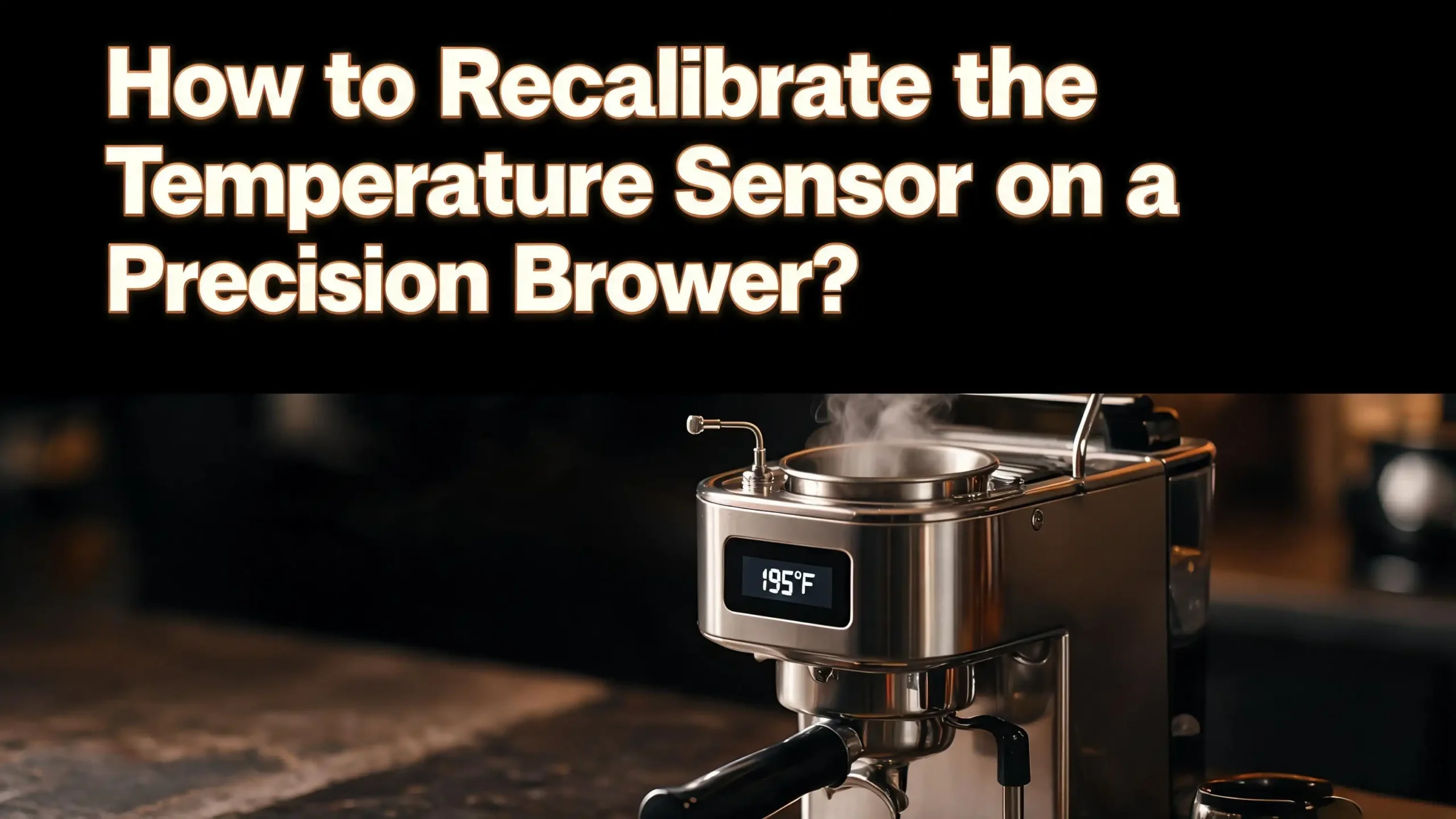
How to Recalibrate the Temperature Sensor on a Precision Brewer?
Your Precision Brewer should deliver coffee at the perfect temperature every single time. But what happens when your morning cup tastes lukewarm, weak, or oddly bitter? The answer often lies in a temperature sensor that has drifted out of calibration.
This problem affects many Precision Brewer owners, and it can feel frustrating. The good news is that you can often fix this issue at home without calling a technician.
This guide walks you through every step of diagnosing, cleaning, and recalibrating your temperature sensor. You will also learn how to use built in settings, factory resets, and manual adjustments to bring your brewer back to peak performance.
Key Takeaways
- The Specialty Coffee Association (SCA) recommends a brewing temperature between 195°F and 205°F (90°C to 96°C). If your Precision Brewer falls outside this range, the temperature sensor is a likely suspect. A simple recalibration or cleaning can restore proper readings and improve your coffee’s flavor.
- Mineral buildup from hard water is the most common cause of sensor drift. Scale deposits coat the sensor probe and insulate it from the water. This causes delayed or inaccurate temperature readings. Regular descaling every one to three months prevents this issue.
- A factory reset restores all brew settings to their defaults, including temperature profiles. On the Breville Precision Brewer, you hold the START, SELECT, and AUTO START buttons together for three seconds to initiate a reset. This clears any corrupted calibration data stored in memory.
- The My Brew mode lets you manually adjust the brew temperature between approximately 88°C and 98°C. You can use this setting to compensate for minor sensor inaccuracies while you plan a more permanent fix.
- Testing your brewer’s output temperature with an independent thermometer is the fastest way to confirm a sensor problem. Measure the water stream directly at the showerhead. A reading more than 5°F away from your set temperature confirms the sensor needs attention.
- If cleaning, descaling, and resetting do not solve the problem, the NTC thermistor probe inside the brewer may need physical replacement. This is a more advanced repair that may require contacting the manufacturer or an authorized service center.
What Does the Temperature Sensor Do in a Precision Brewer
The temperature sensor in a Precision Brewer monitors the water temperature in real time during every brew cycle. It sends continuous data to the brewer’s PID (Proportional Integral Derivative) control system. This system adjusts the thermocoil heating element to keep water at the exact temperature you set.
Most Precision Brewers use an NTC (Negative Temperature Coefficient) thermistor as the primary sensor. This small electronic component changes its electrical resistance based on the temperature of the water around it. When the water gets hotter, the resistance drops. When the water cools, the resistance rises. The control board reads these resistance changes and calculates the exact water temperature.
The sensor sits in direct contact with the water pathway, usually near the heating element or at the outlet of the thermocoil. Its position matters because even a slight gap between the sensor and the water can cause inaccurate readings. Mineral deposits, corrosion, or physical displacement can all interfere with this contact.
Without an accurate temperature sensor, the brewer cannot maintain proper brewing conditions. You might set the temperature to 200°F but the water could actually reach only 175°F or spike to 210°F. Either scenario produces poor coffee. Understanding this component is the first step to fixing temperature problems in your Precision Brewer.
Signs Your Temperature Sensor Needs Recalibration
Several clear signs indicate that your Precision Brewer’s temperature sensor has drifted. The most obvious is coffee that tastes noticeably different from what you are used to. Under extracted coffee tastes sour, thin, and weak. Over extracted coffee tastes bitter, harsh, and astringent. Both conditions often result from incorrect water temperature.
A second sign is lukewarm coffee in the carafe, even when you set the brewer to a high temperature. Many Precision Brewer owners report water temperatures 15 to 25 degrees below the selected setting. If you measure the output with a separate thermometer and find a large gap, the sensor is likely the issue.
Error messages on the LCD display also point to sensor problems. The “too hot” error means the sensor reports excessively high temperatures. This can happen when mineral scale coats the probe and causes it to misread. The brewer shuts down as a safety measure to prevent overheating.
Another warning sign is inconsistent brew times. If the brewer takes much longer or shorter than usual to complete a cycle, the heating element may be receiving wrong instructions from a faulty sensor. You might also notice excessive steam during brewing. This indicates the water temperature has climbed beyond normal levels.
Pay attention to these symptoms. Catching a sensor issue early prevents damage to the heating element and other internal components. It also saves you from weeks of bad coffee.
Tools You Will Need for Recalibration
Before you start working on your Precision Brewer, gather a few basic tools. Having everything ready saves time and prevents interruptions during the process.
You will need a digital instant read thermometer with a probe. This is essential for verifying the actual water temperature coming out of your brewer. Choose a thermometer rated for at least 212°F (100°C) with an accuracy of plus or minus 1°F. Test your thermometer first in boiling water to confirm it reads close to 212°F at sea level.
Grab a soft, lint free cloth for cleaning the sensor and interior surfaces. Microfiber cloths work well for this purpose. Avoid abrasive pads or steel wool because they can scratch and damage the sensor probe surface.
You will also need white vinegar or a commercial descaling solution. These break down mineral deposits that accumulate on the sensor. If you choose vinegar, use standard white distilled vinegar. A commercial descaler formulated for coffee machines is also effective.
A small soft bristled brush, such as a clean toothbrush, helps remove stubborn mineral deposits from the showerhead and surrounding areas. Keep a dry towel nearby for wiping up spills.
Finally, have your brewer’s instruction manual accessible. It contains model specific information about settings, button combinations, and part locations. If you no longer have the physical manual, search for the PDF version on the manufacturer’s website using your model number like BDC450 or BDC455.
How to Test Your Brewer’s Current Temperature Output
Before you recalibrate anything, you need to confirm the problem. Testing the actual output temperature tells you exactly how far off your sensor has drifted. This step prevents unnecessary repairs if the issue lies elsewhere.
Start by filling the water tank with room temperature water up to the maximum line. Insert a clean brew basket with a paper filter but do not add coffee grounds. Place the carafe in position under the drip outlet. Select the My Brew mode and set the temperature to your desired level, such as 200°F or 93°C.
Press start and let the brewer begin its cycle. Once water starts flowing through the showerhead, carefully position your probe thermometer directly in the water stream as close to the showerhead as possible. Record the temperature readings at three points during the brew cycle: the beginning, the middle, and the end.
Compare your readings to the set temperature. The SCA standard for optimal brewing is 195°F to 205°F (90°C to 96°C). A well functioning Precision Brewer should deliver water within 2 to 3 degrees of the set temperature at the showerhead.
If your readings are more than 5°F lower or higher than the set temperature, the sensor likely needs recalibration. Note that water temperature drops rapidly once it leaves the showerhead. Measuring at the carafe will always show lower temperatures due to heat loss. Always measure at the source for an accurate comparison. Write down your findings because you will use these numbers to verify improvement after recalibration.
Descaling to Remove Mineral Buildup on the Sensor
Mineral buildup is the number one cause of temperature sensor inaccuracy in Precision Brewers. Hard water leaves calcium and limescite deposits on internal surfaces, including the temperature probe. These deposits act as insulation between the sensor and the water. The sensor then reads a lower temperature than the actual water temperature. The control board responds by overheating or underheating the water.
To descale your Precision Brewer, first empty the water tank completely. Prepare your descaling solution according to the product instructions. If using white vinegar, mix equal parts vinegar and water. Pour the solution into the empty water tank.
Place the empty brew basket and the carafe with its lid locked into position. On most Precision Brewer models, press and hold the SELECT button for three seconds to start the descaling cycle. The LCD will display “dSL” and show the remaining time. The cycle takes approximately 15 minutes.
Do not interrupt the descaling cycle once it starts. If you must stop it, unplug the brewer from the power outlet. After the cycle finishes, empty the carafe and rinse it thoroughly. Fill the tank with fresh cold water and run two full brew cycles without coffee to flush out any remaining descaling solution.
After descaling, repeat your temperature test from the previous section. Many owners report that a thorough descaling session alone restores proper temperature accuracy. One common observation among Precision Brewer users is that temperature performance returns to normal for several days after descaling, which confirms that mineral buildup was the root cause.
Cleaning the Temperature Sensor Probe Directly
Sometimes descaling alone does not fully remove deposits from the sensor probe. In these cases, a direct cleaning of the sensor area provides better results. This step requires accessing the sensor’s location near the heating system.
First, unplug the brewer and let it cool completely for at least 30 minutes. Never work on a hot machine because the internal components retain heat long after the last brew cycle. Remove the water tank lid and empty any remaining water.
Locate the showerhead assembly at the top of the brew chamber. Rotate the showerhead locking ring counterclockwise to remove it. Carefully pull down the showerhead. This exposes the water delivery area where the sensor often sits or connects.
Use a soft, damp cloth soaked in a vinegar solution to gently wipe any visible scale deposits from the sensor area and surrounding surfaces. If you can see the probe tip, clean it carefully with the cloth. Do not use metal tools or sharp objects near the sensor because scratching the probe surface can permanently damage it.
While the showerhead is removed, also clean the showerhead itself using a soft bristled brush and warm soapy water. Clear any clogged holes to ensure even water distribution. Rinse all parts thoroughly with clean water before reassembling.
After cleaning, reassemble the showerhead and locking ring. Make sure the showerhead sits flush and the ring is snug. Run a test brew cycle with just water to check for leaks and to verify that your cleaning has improved the temperature accuracy.
Performing a Factory Reset on Your Precision Brewer
A factory reset clears all stored settings and returns the brewer to its original calibration values. This step is useful when the brewer’s internal calibration data has become corrupted or when previous manual adjustments have created conflicting settings.
To perform a factory reset on a Breville Precision Brewer, hold the START button, the SELECT dial, and the AUTO START button simultaneously for three seconds. The LCD will display “rES” in a flashing pattern. Press the SELECT dial once. The screen will then ask you to confirm with “YES” or “no.” Rotate the SELECT dial to “YES” and press it to confirm.
The reset process clears the clock, auto start settings, water hardness level, and all My Brew customizations. After the reset, the machine will prompt you to set the water hardness again. Use the included test strip or a new one to measure your water hardness. Dip the strip into water for one second, wait one minute, and select the level that matches the dots shown on the strip.
The brewer will then ask you to run a flush cycle. Press the SELECT dial to begin. The machine pumps fresh water through the entire system. This step cleans the internal pathways and helps the sensor establish a fresh baseline reading.
After the factory reset and flush, test the brew temperature again. Many temperature issues resolve at this stage because the reset eliminates any stored calibration offsets or software glitches that caused the sensor to misread. If the problem persists, move on to more advanced troubleshooting.
Adjusting Temperature Through My Brew Settings
If your sensor reads slightly off but you do not want to disassemble the brewer, the My Brew mode offers a practical workaround. This mode gives you manual control over the brew water temperature, bloom time, and flow rate.
To access My Brew settings, rotate the SELECT dial until “MY BREW” appears on the LCD screen. Press the SELECT dial to enter the customization menu. Rotate the dial to find “BREW TEMP” and press to select it. You can now adjust the target brewing temperature up or down.
The Precision Brewer allows temperature adjustments between approximately 88°C and 98°C (190°F to 208°F). If your testing showed that the brewer runs 10 degrees cold, increase the set temperature by 10 degrees to compensate. For example, if you want 200°F water but the brewer delivers 190°F, set the target to 210°F if the range allows, or as high as possible.
This approach is a temporary calibration workaround, not a permanent fix. It compensates for sensor drift without addressing the root cause. However, it gives you great coffee while you plan a deeper repair or schedule a professional service appointment.
After adjusting the temperature, also consider tweaking the flow rate setting. A slower flow rate gives the heating element more time to bring water up to temperature. This combination of higher set temperature and slower flow often produces results very close to the ideal SCA brewing standard.
Always record your custom settings in a notebook or phone. If you later perform a factory reset, you will lose these adjustments and need to re enter them.
Understanding the Role of Water Hardness in Sensor Accuracy
Water hardness plays a bigger role in sensor accuracy than most people realize. Hard water contains high concentrations of calcium and magnesium minerals. These minerals precipitate out of the water when heated and form scale deposits on every surface the hot water touches, including the temperature sensor.
The Precision Brewer includes a water hardness test strip and a hardness setting for this exact reason. When you set the correct hardness level, the brewer adjusts its descaling reminder schedule accordingly. If you set the hardness too low, the brewer will not prompt you to descale often enough. Scale builds up faster than expected and coats the sensor.
To check your current hardness setting, navigate to the Settings menu using the SELECT dial. If the setting does not match your actual water hardness, update it. Testing your tap water with a fresh hardness strip is the most reliable method. Fill a glass with cold tap water, dip the strip for one second, and wait 60 seconds before reading the result.
If you live in an area with very hard water, consider using filtered or softened water in your Precision Brewer. A simple carbon filter pitcher removes some minerals and improves water quality. This reduces scale formation and extends the time between required descaling sessions.
Correct water hardness settings ensure that the brewer’s maintenance reminders stay on schedule. Timely descaling keeps the sensor clean and prevents the slow drift in temperature accuracy that hard water causes over months of use.
Checking Electrical Connections and Wiring
If cleaning and resetting do not resolve your temperature issue, the problem may be electrical rather than mechanical. Loose or corroded wiring connections between the sensor and the control board can cause intermittent or permanent temperature reading errors.
Unplug the brewer and let it cool completely before inspecting any electrical components. Remove the base plate or access panel if your model allows user access. Some Precision Brewer models have screws on the bottom that hold the base cover in place. Remove these carefully with the appropriate screwdriver.
Once inside, locate the wires running from the temperature sensor to the main circuit board. Look for obvious signs of damage such as frayed wires, burn marks, corrosion, or loose connector plugs. A loose plug can cause the sensor reading to fluctuate or drop out entirely, which triggers error messages like “too hot” on the display.
If you own a multimeter, you can test the sensor’s resistance. Disconnect the sensor leads and set your multimeter to resistance mode. An NTC thermistor at room temperature (around 77°F or 25°C) typically reads between 10,000 and 50,000 ohms, depending on the specific component used. If your reading shows zero resistance or infinite resistance (displayed as “OL”), the sensor has failed and needs replacement.
Important safety note: If you are not comfortable working with electrical components, do not attempt this step. Contact the manufacturer or an authorized service center instead. Working inside an electrical appliance carries a risk of shock or further damage if done incorrectly.
When to Replace the Temperature Sensor Entirely
Sometimes a temperature sensor cannot be recalibrated because it has physically degraded beyond recovery. NTC thermistors have a finite lifespan. Exposure to heat, moisture, and mineral deposits gradually changes their resistance characteristics. When this happens, no amount of cleaning or resetting will restore accurate readings.
You should consider sensor replacement if your brewer consistently reads temperatures more than 10°F off even after thorough descaling, cleaning, and a factory reset. Another clear indicator is when the sensor reading jumps erratically during a brew cycle. This behavior suggests internal damage to the thermistor element.
Replacement sensors are available through the manufacturer’s official parts catalog. Search for your specific model number (such as BDC450 or BDC455) to find the correct part. Using a sensor with the wrong resistance rating will cause the brewer to heat water to incorrect temperatures.
The replacement process involves disconnecting the old sensor from its wiring harness and installing the new one in the exact same position. The sensor tip must make full contact with the water pathway for accurate readings. One Precision Brewer owner on a popular coffee forum reported that their heating issue disappeared completely after replacing the thermometer probe and ensuring the tip touched the water flow directly.
If your brewer is still under warranty, contact the manufacturer before attempting any internal repairs. Opening the brewer may void the warranty. The manufacturer may offer free replacement parts or a full unit exchange for temperature related defects.
Preventing Future Temperature Sensor Issues
Prevention is always easier than repair. A few simple habits will keep your Precision Brewer’s temperature sensor accurate for years.
Descale your brewer on a regular schedule. For areas with moderate water hardness, descale every two to three months. For hard water areas, descale monthly. Do not wait for the LCD to display the “DESCALE” warning because sensor drift often begins before the reminder appears.
Use filtered water in your brewer whenever possible. A basic water filter pitcher removes excess minerals, chlorine, and sediment. This reduces scale buildup on the sensor and throughout the brewer’s internal pathways. Filtered water also improves the taste of your coffee.
Run a plain water flush cycle once a week. Fill the tank with fresh water and run a brew cycle without coffee grounds or a filter. This rinses residue from the sensor area and prevents mineral deposits from hardening.
After each descaling session, run at least two full rinse cycles with fresh water. Residual descaling solution left inside the brewer can corrode the sensor over time. Thorough rinsing protects the probe and other metal components.
Store your brewer in a cool, dry location away from direct sunlight. The Precision Brewer’s tank sensors can give false readings if exposed to bright light or extreme ambient temperatures. The troubleshooting section of the official manual specifically mentions moving the unit away from direct sunlight if the LCD shows “FILL TANK” when water is present.
Keep a temperature testing log. Once a month, run a test brew with plain water and record the output temperature at the showerhead. This log helps you spot gradual sensor drift before it becomes a serious problem.
Contacting the Manufacturer for Professional Support
If you have tried every step in this guide and the temperature still reads incorrectly, it is time to contact the manufacturer’s customer support team. Some sensor issues require professional diagnostic equipment and replacement parts that are not available to consumers.
Before you call, gather a few pieces of information. Write down your brewer’s model number and serial number. These are usually printed on a label on the bottom or back of the unit. Also note the specific symptoms you are experiencing, the troubleshooting steps you have already tried, and the temperature readings from your tests.
The manufacturer’s support team can walk you through additional diagnostic procedures specific to your model. In some cases, they can identify a known issue with a particular production batch and offer a targeted solution. They may also authorize a warranty repair or replacement if your unit qualifies.
If your brewer is out of warranty, ask about authorized service centers in your area. These repair shops have access to genuine replacement parts and the technical documentation needed to recalibrate or replace the temperature sensor properly. Using an authorized center ensures that the repair meets the manufacturer’s quality standards.
Some owners also find help through online coffee communities and forums. Other Precision Brewer users often share detailed repair experiences, part numbers, and troubleshooting tips. These community resources can supplement the manufacturer’s official guidance and help you make informed decisions about your repair.
Common Error Messages Related to Temperature Problems
The Precision Brewer’s LCD display communicates specific error codes that relate directly to temperature sensor issues. Understanding these messages helps you diagnose the problem faster and choose the right fix.
The “too hot” error appears when the sensor reports that water has exceeded the safe operating temperature. This can mean the sensor is faulty and reading too high, or the brewer has been run multiple times in quick succession and the components have overheated. The official manual recommends letting the unit rest for at least 20 minutes before starting another cycle. If the error persists after cooling, descale the unit and perform a factory reset.
The “DESCALE” message flashes when the brewer determines that mineral buildup has reached a critical level. While this is a maintenance reminder rather than an error, ignoring it leads to sensor drift. Scale on the sensor causes it to underreport temperature, which makes the heating element work harder and longer than necessary.
If the LCD shows “FILL TANK” when the tank has water, the issue may be related to the optical sensors in the tank rather than the temperature sensor. However, both types of sensors can be affected by mineral deposits. Wipe the sensor prisms inside the tank with a clean, damp cloth to resolve this message.
Excessive steam during brewing is not accompanied by a specific error code, but it is a strong visual indicator that the water temperature is running too high. This condition stresses the heating element and can shorten the brewer’s overall lifespan. Address this symptom promptly by following the recalibration steps outlined in this guide.
Frequently Asked Questions
How often should I recalibrate the temperature sensor on my Precision Brewer?
There is no fixed schedule for recalibration because it depends on your water quality and usage frequency. A good practice is to test your brewer’s output temperature once a month using a probe thermometer. If the reading drifts more than 5°F from your set temperature, start with a descaling cycle and a factory reset. For most households, a thorough descaling every two to three months prevents sensor drift before it becomes noticeable.
Can I recalibrate the temperature sensor without opening the brewer?
Yes, in most cases you can restore accurate temperature readings without disassembling the machine. Descaling removes mineral deposits from the sensor. A factory reset clears any corrupted calibration data. The My Brew mode lets you manually adjust the target temperature to compensate for minor inaccuracies. Only when these software and cleaning solutions fail do you need to open the brewer for physical inspection or sensor replacement.
Why does my Precision Brewer make coffee that is too cold?
Several factors can cause low temperature output. Mineral buildup on the temperature sensor is the most common cause. The sensor reads a higher temperature than actual because scale insulates it, so the heating element shuts off too early. Other causes include a failing heating element, brewing small volumes of water (which heat less efficiently), and using a power outlet that delivers inconsistent voltage. Test the output temperature at the showerhead to confirm the issue before attempting fixes.
What temperature should a Precision Brewer reach during brewing?
The Specialty Coffee Association sets the optimal brewing range at 195°F to 205°F (90°C to 96°C). The Breville Precision Brewer’s Gold Cup mode is certified to meet this standard. In My Brew mode, you can adjust the temperature between approximately 190°F and 208°F. Your target should fall within the SCA range for the best flavor extraction from your coffee grounds.
Does using filtered water really help prevent sensor issues?
Absolutely. Filtered water contains fewer dissolved minerals than unfiltered tap water. Fewer minerals mean less scale buildup on the temperature sensor and throughout the brewer’s internal pathways. A basic water filter pitcher or an inline filter significantly reduces the frequency of descaling needed and extends the accurate lifespan of the temperature sensor. Many experienced Precision Brewer owners consider filtered water essential for consistent performance.
Should I attempt to replace the temperature sensor myself?
This depends on your comfort level with electronics. The sensor replacement itself involves disconnecting a wiring harness and installing a new probe in the correct position. If you have experience with small appliance repair and own a multimeter, you can handle it. However, if your brewer is under warranty, opening it will likely void that warranty. In that case, contact the manufacturer for a professional repair or unit replacement instead.

Hi, I’m Luna! I’m the voice behind CoffeePickster.com. I’m a coffee obsessive who’s spent way too many hours (and dollars) testing coffee makers so you don’t have to. I created this blog to help fellow coffee lovers find the right gear without the guesswork. Let’s brew something great together!